Digital Album
One QR code, and every guest uploads to a shared album
After the event the best photos are scattered across your guests - some on WhatsApp, most left on a phone and never sent. The photographer shoots what they see; the guests shoot what they miss.
The digital album gives your event a single QR code and link. Guests scan, upload photos and videos at original quality, and everything collects into one shared gallery - no app, no sign-up, and no chasing anyone.
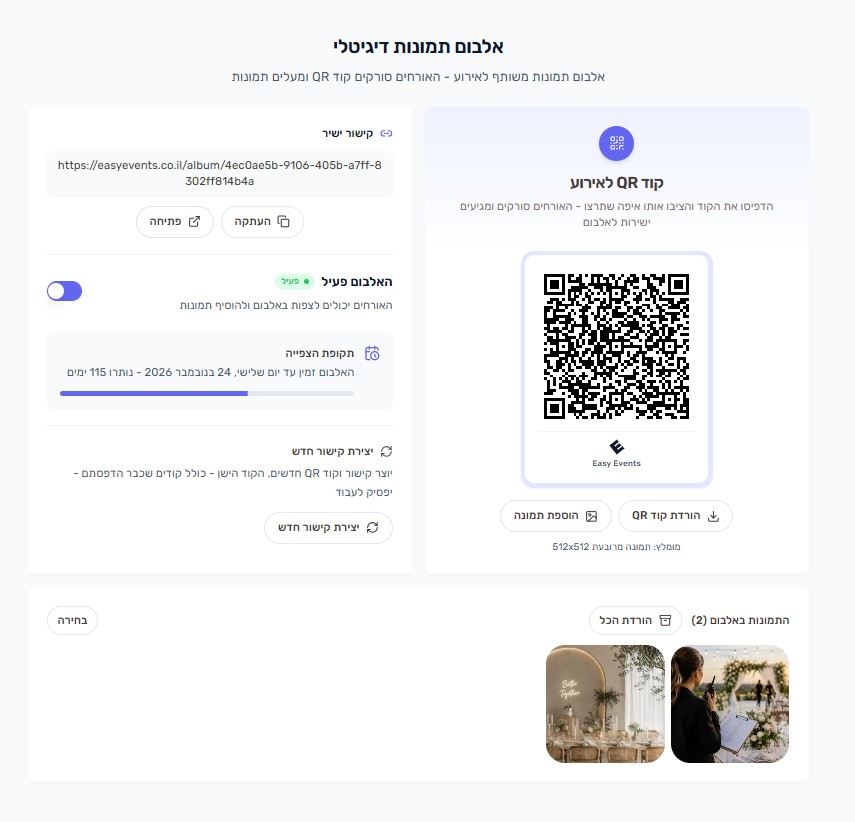
What can you do?
- A QR code for your event, optionally with your own picture in the middle
- Place the code anywhere - on the tables, at the entrance, on a screen or on the invitation
- Guests upload photos and video at original quality, straight from the browser
- A shared gallery that fills up live during the event
- A plain link to share with anyone who could not attend
- Full control - switch the album off, mint a new link, or remove a photo
How does it work?
- 1
Activate the album
One click creates a QR code and link for your event
- 2
Print and place it
Download the code as an image and put it wherever suits you
- 3
Guests scan and upload
The code opens in the phone browser - no install, no account
- 4
Everything lands in one gallery
Photos appear immediately, ready to view, download and share
Find your photos - face recognition
On the album page, every guest can find the photos and videos they appear in, without scrolling through thousands of photos.
- 1
Tap "Find your photos"
At the top of the album page
- 2
Take a selfie or choose a photo
The selfie is only used for the search and is not saved
- 3
Confirm "Yes, that's me"
On one photo from the album
- 4
See all your photos
Videos included, and no selfie needed next time