Messages & Invitations
Send invitations and track responses - all in one place
Sending invitations to dozens or hundreds of guests is hard work. You need to track who received, who saw, who confirmed - and it can become a mess.
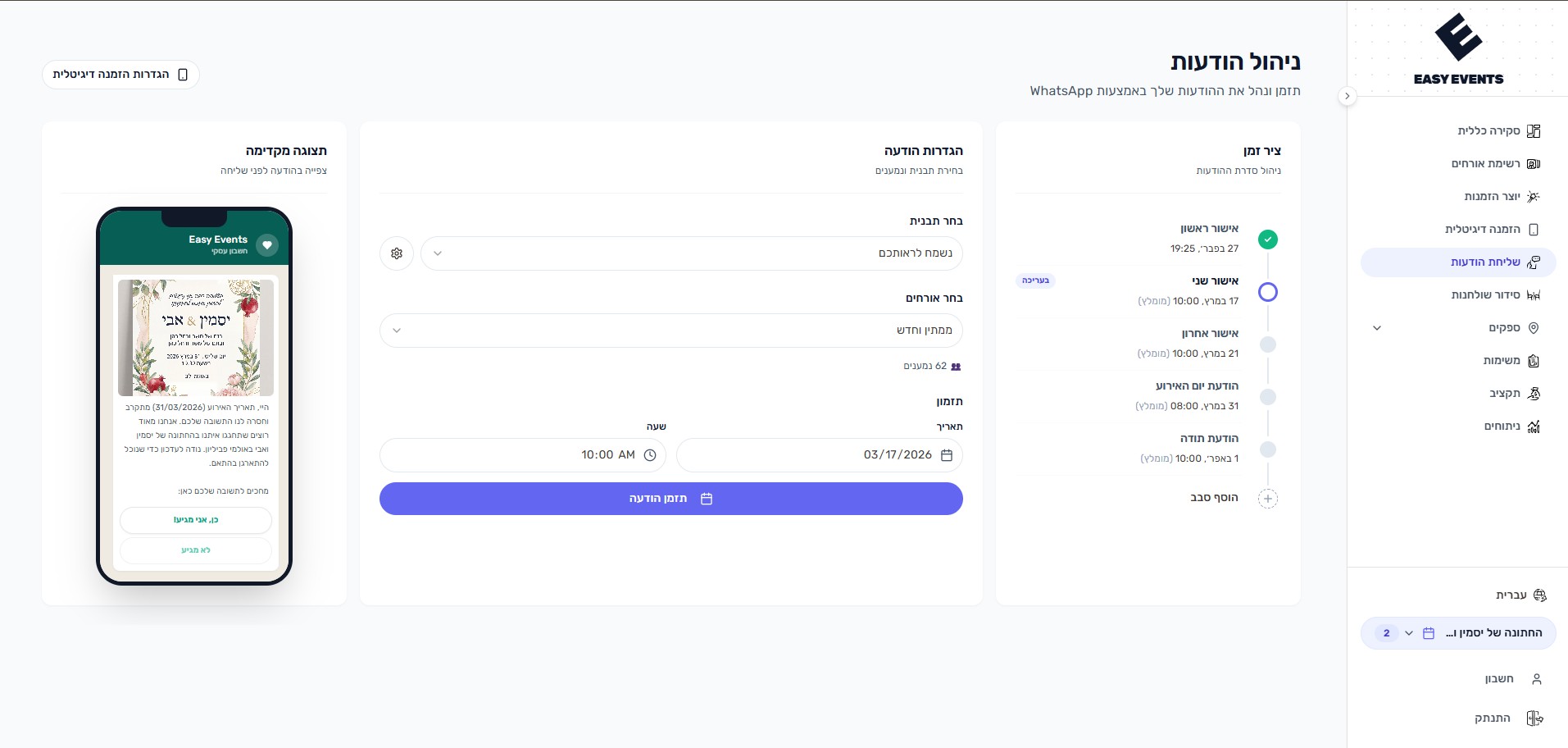
Easy Events' messaging system sends invitations via WhatsApp with personalized templates. Schedule messages in advance, track delivery, and use built-in message rounds for reminders.
What can you do?
- Send invitations via WhatsApp with message templates
- Send each guest their message in their preferred language - Hebrew, English, Arabic, French, or RussianLearn about guest languages
- Include RSVP link, navigation link, and payment app link
- Schedule messages for future sending
- Send to all guests, only pending, only confirmed, or select specific guests
- Use 5 built-in message rounds (3 reminders, event day, thank you)
- Generate individual guest links for personal invitations
- Edit or reschedule messages before they're sent
- View sent message history and duplicate previous messages
- Official WhatsApp Business API integration - reliable, secure, and compliant (unlike unofficial services that risk being blocked)
- Send a test message to a single guest before you schedule - it really goes out, and it is not counted as a round
How does it work?
- 1
Choose message round
Select from confirmation reminders, event day message, or thank you
- 2
Select recipients
Send to all guests, filter by RSVP status or group, or pick specific guests individually
- 3
Customize template
Personalize the message template with your event details
- 4
Send or schedule
Send immediately or schedule for the perfect time
Message Rounds
The system includes built-in message rounds:
- First, Second, and Last Confirmation - remind guests to RSVP
- Event Day - navigation details and final reminder on the big day
- Thank You - appreciation message after the event
Need more? Additional message rounds are available for premium users
Tips & Best Practices
Can I send invitations in different languages?
Yes. Each guest has a preferred language - Hebrew, English, Arabic, French, or Russian. When you send a message round, every guest receives the template in their language and their personal RSVP page opens in the same language. Guests with no language set receive Hebrew by default.
Learn about guest languages