Table Seating
Design the perfect seating chart easily and quickly
Arranging guests at tables is one of the biggest challenges in event planning. You need to consider family relationships, dynamics, and preferences - and it can get complicated.
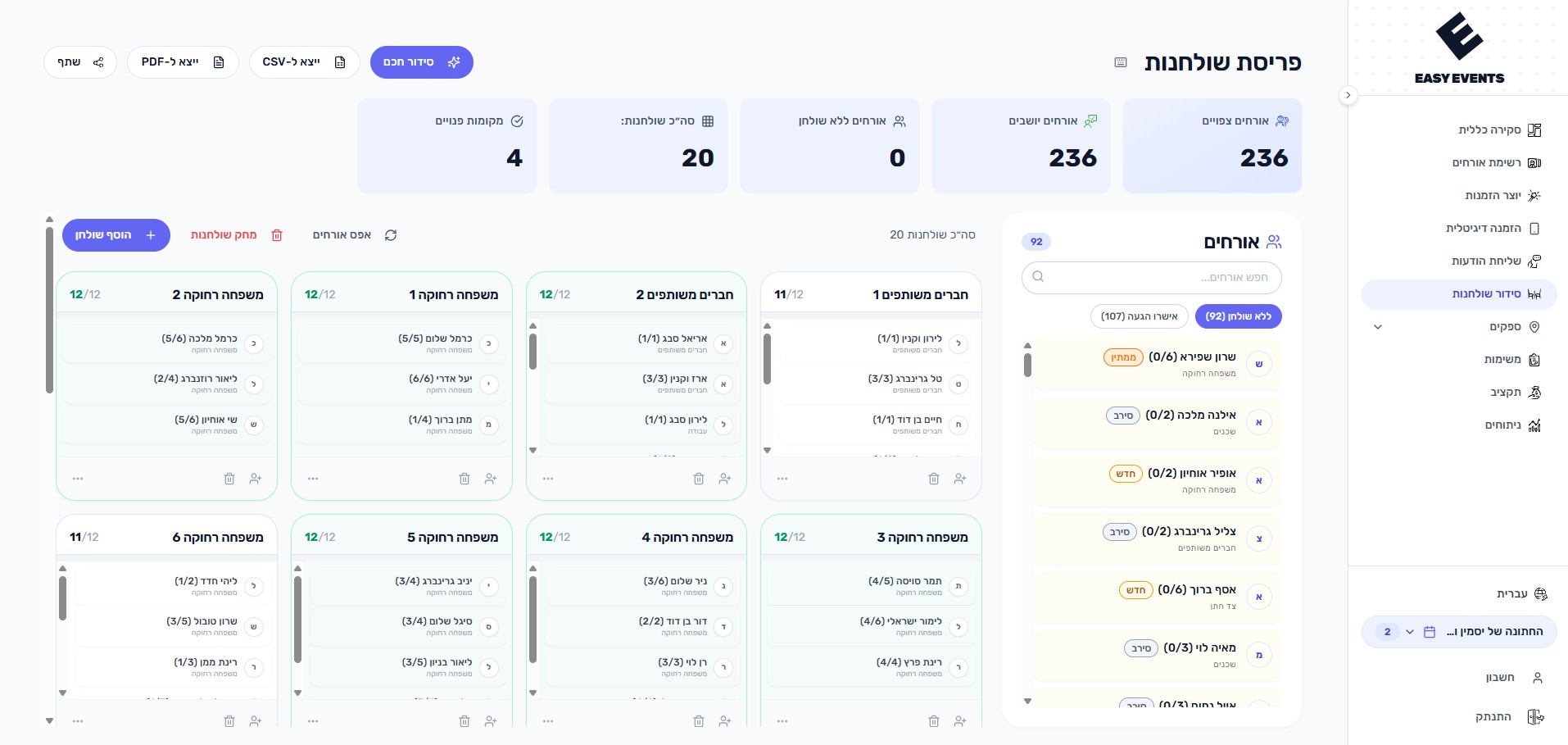
Easy Events' table seating tool lets you drag and drop guests to tables, customize table shapes and colors, and see available seats in real-time. Changes are auto-saved so you never lose your work.
What can you do?
- Create tables with custom names, colors, and capacities (2-24 seats)
- Drag and drop guests to tables on desktop, or tap-to-assign on mobile
- Use AI-powered smart seating suggestions to auto-arrange guests by group and preferences
- See seat availability with visual indicators
- Filter to show only confirmed guests
- Get overcapacity warnings when tables are too full
- Bulk actions for moving or removing guests across tables
- Export seating chart to PDF or CSV
- Share a read-only link with the venue or family
How does it work?
- 1
Create tables
Add tables with names, capacity, and custom colors
- 2
Assign guests
Drag guests from the sidebar list and drop them at tables, use the assignment popup, or activate AI-powered smart auto-seating
- 3
Fine-tune
Move guests between tables, see who's unconfirmed, and adjust as RSVPs come in
- 4
Share and export
Download as PDF for printing or share a view link with the venue
Tips & Best Practices
Use the 'confirmed only' filter to focus on guests who are definitely coming
Color-code tables by family side or theme
Leave a few empty seats for last-minute additions
Export to PDF before the event for the venue coordinator
No seating hosts needed: on the event day, your WhatsApp message round tells each guest their own table number based on the seating you set up. And if you still use an external host, export a CSV/PDF report (a snapshot) or share a live view link that stays synced with your dashboard and up to date