Invitation Builder
Design stunning digital invitations with ease
An event invitation is the first impression guests get. Designing a beautiful invitation takes time, design skills, or paying a designer.
With Easy Events' drag-and-drop invitation builder, you can create professional digital invitations in minutes. Choose from beautiful templates and customize everything to your style.
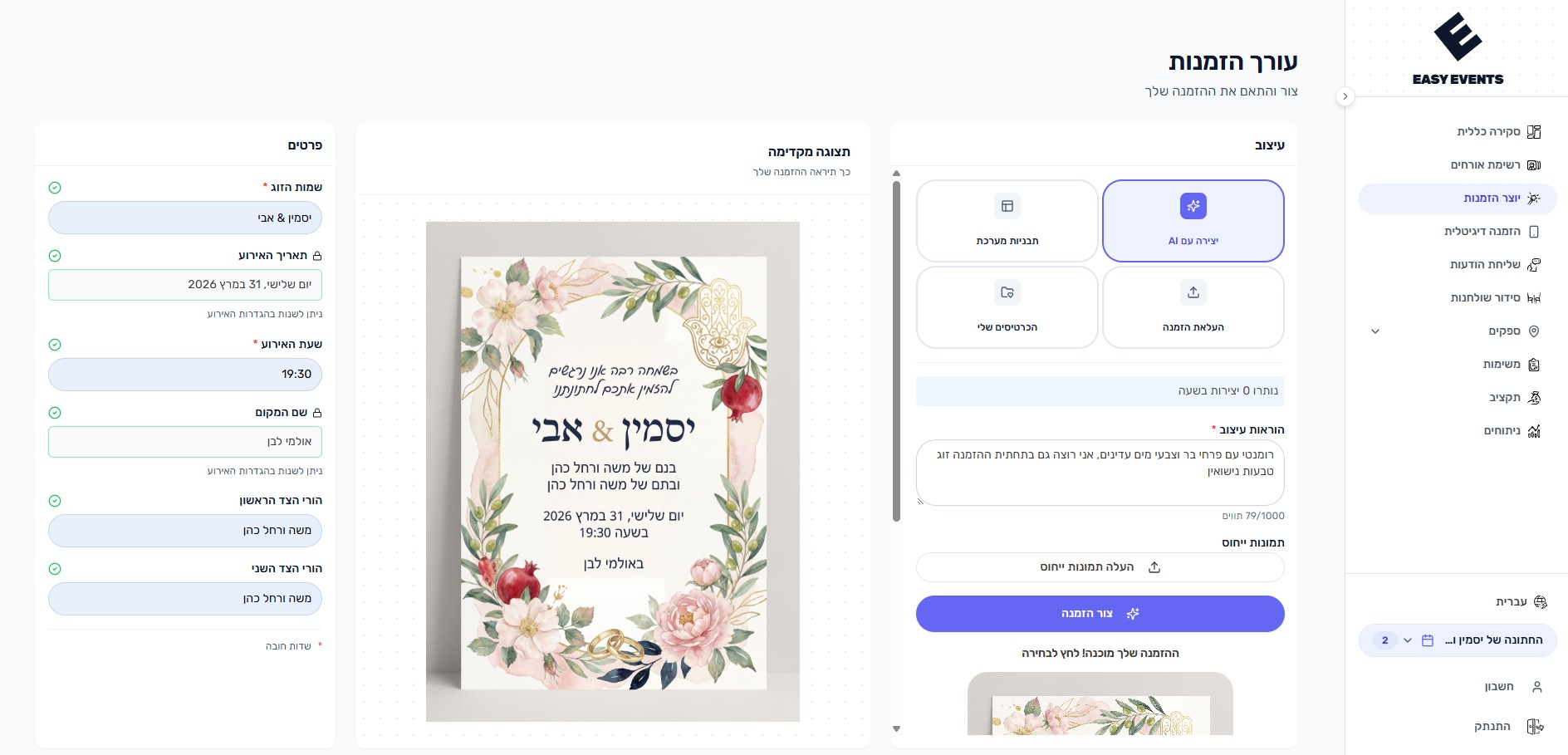
What can you do?
- Choose from a variety of professionally designed templates
- Customize colors, fonts, and layout to match your style
- Upload your own photos and background images
- Preview your invitation in both desktop and mobile views
- Auto-fills event details from your event settings
- The invitation is displayed to guests on their personal RSVP link
- AI invitation generator - describe your dream invitation and let AI create it for you
How does it work?
- 1
Choose a template
Browse beautiful templates and pick one that matches your event style
- 2
Customize design
Change colors, fonts, upload photos, and adjust the layout to your taste
- 3
Add your details
Enter event information - date, time, venue, and personal message
- 4
Save
Changes are saved automatically and the invitation will be displayed to guests on their RSVP link
Tips & Best Practices
Choose a template that matches your wedding/event theme
Include all essential details - date, time, venue, and dress code
Keep text concise - details can go in the RSVP link